
RSVSR GTA 5 Map Editor guide where to install it and start building
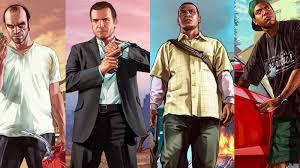
If you have been messing around with Grand Theft Auto V on PC for a while, you have probably seen those wild custom ramps or zombie survival bases online and wondered how on earth people build them, especially when they are also grinding for GTA 5 Money at the same time.
Getting The Right Tools
To be blunt, you cannot just drop the Map Editor files in and hope it works. GTA V is picky. You need the support stuff first or the game just ignores the mod. So you go grab the latest ScriptHook V and ScriptHook V.NET, then NativeUI as well. ScriptHook V and ScriptHook V.NET go straight into your main GTA V folder, the one with the game .exe in it. After that, you create a new folder called "scripts" in that same place, all lowercase. That is where you put the Map Editor files and NativeUI. It feels a bit fiddly when you do it the first time, but once those folders are in the right spot, you usually do not have to touch them again.
First Time Using Map Editor
When you launch the game, load into Story Mode and hit F7. That is the moment it clicks. A menu pops up and suddenly you are not just walking around as Franklin or Michael any more. You are floating above Los Santos. You can move the free cam with WASD or a controller stick. It is a bit twitchy at first, so do not be surprised if you overshoot the spot you want. The menus are simple enough though. Hit "P" to spawn pedestrians, "V" for vehicles, pick what you want from the list, and it appears right in front of you. Positioning takes a bit of trial and error. You tap Q and E to rotate things, nudge them into place, then realise you moved them too far and do it again.
Building Without Losing Your Mind
Once you get past the first few clumsy attempts, you start thinking bigger. People build highway stunt tracks, fortresses on top of buildings, or cramped little survival camps in the middle of the desert. You will also mess up. Everyone does. You might press Delete by accident and watch a whole chunk of your build vanish. The good part is you can save everything. Map Editor lets you save your creations as XML or INI files, so you just give each map a clear name and stash it. There is also an "AutoloadMaps" folder you can create inside that "scripts" folder. Drop a map file in there and it will load every time the game starts, which is a lifesaver when you are tweaking the same big project for days.
Dealing With Updates And Crashes
Because this is all community stuff, nothing is totally stable. A big GTA V update drops, and suddenly ScriptHook V needs an update, or Map Editor starts throwing errors. If you run other mods like Map Builder, you might hit the odd conflict or random crash. That is kind of normal in this scene. Most players end up keeping backups of their favourite maps and checking in on updates after Rockstar patches the game. If you are spending a lot of time on custom builds, or even thinking about things like extra in-game cash or items through sites such as RSVSR, it all becomes part of the same mindset: a slightly modded, slightly DIY version of GTA where you are not just playing the game, you are shaping it.

 Arabic
 French
 Spanish
 Portuguese
 Deutsch
 Turkish
 Dutch
Dutch
 Italiano
 Russian
 Romaian
 Portuguese (Brazil)
 Greek
Greek